Mounted Context lets you “plug in” folders from your local system or synced drives directly into the AI’s context. Any .txt or .md files inside these folders become instantly available for agents to reference—no manual copy-paste, no repeated uploads.
Just drop files into your folder, and the AI will know.
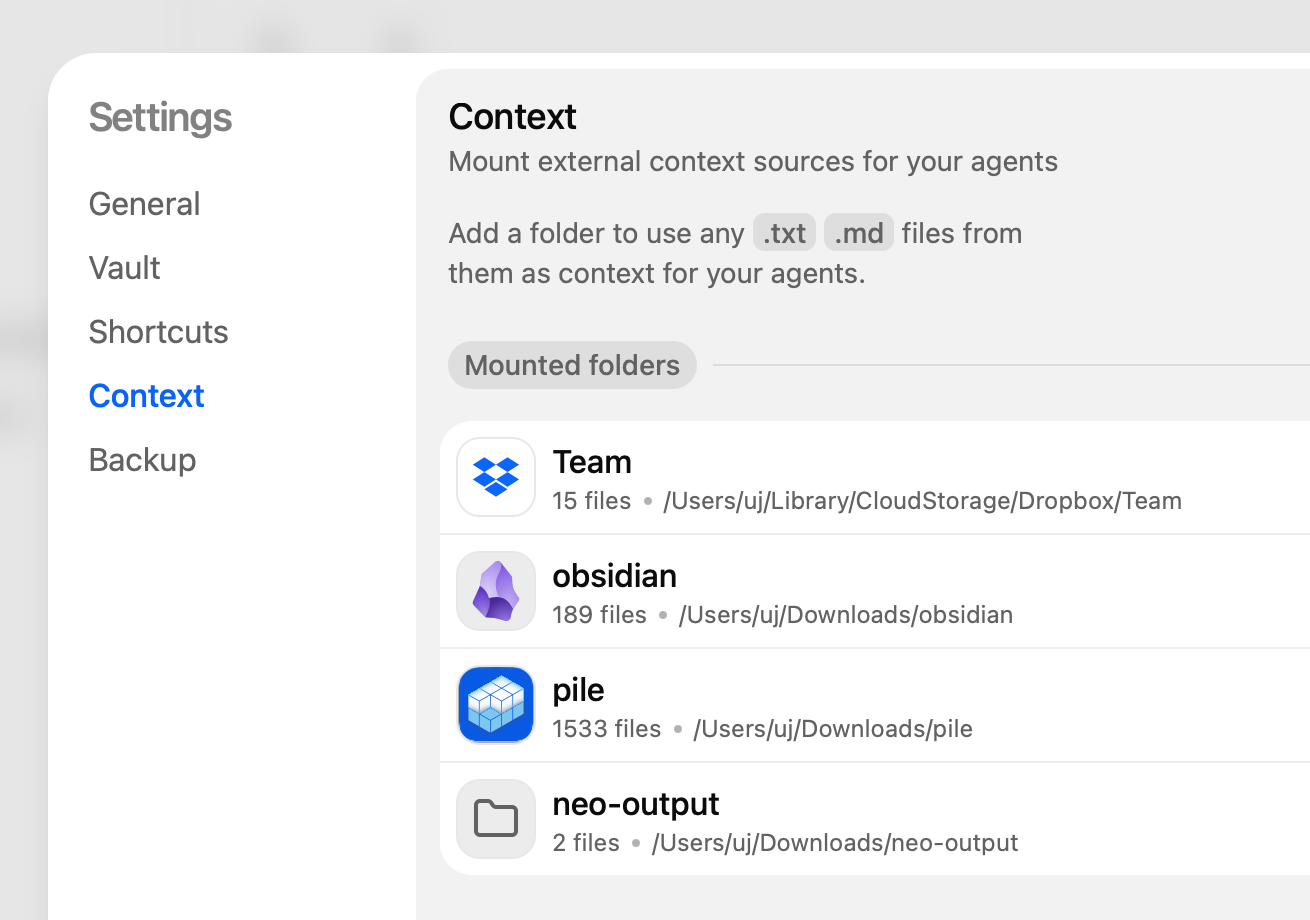
AI agents are only as good as the context you give them. Mounted Context makes it effortless to keep that context:
- Always up to date (edit a file, the AI sees it)
- Reusable across projects (point multiple agents to the same folder)
- Natural to your workflow (works with the notes and docs you already keep)
Key uses
Obsidian or personal knowledge base If you use Obsidian, you can mount your entire vault. Suddenly your daily notes, Zettelkasten, and research become accessible for summarization, linking, or Q&A.
Collaboration Mount a shared team folder—every update to
meeting-notes.mdorroadmap.txtis instantly available to every agent used by your teammates.Dynamic updates on the fly No restarts, no reconfiguration. If you add
release-plan-2025.mdto your folder, the AI can use it immediately.
Quick start
- Go to the “Context” page in Settings.
- Add one or more folders to the Mounted Context list.
- Place your
.txtor.mdfiles inside these folders. - The AI will automatically include them in its reasoning.
- To update, just edit or drop in new files—the AI stays in sync.
Example workflows
- Research workflow: Mount your
Obsidian/Notes/vault. Ask the AI: “Summarize all notes tagged #philosophy into a single overview.” - Team workflow: Mount your
Dropbox/Team/Meeting Notes/folder. The AI can draft updates like: “Summarize this week’s decisions from the latest notes.”
Mounted Context turns your everyday folders into living, AI-readable knowledge bases. It’s the simplest way to make your agents smarter, more relevant, and always in sync with your work.